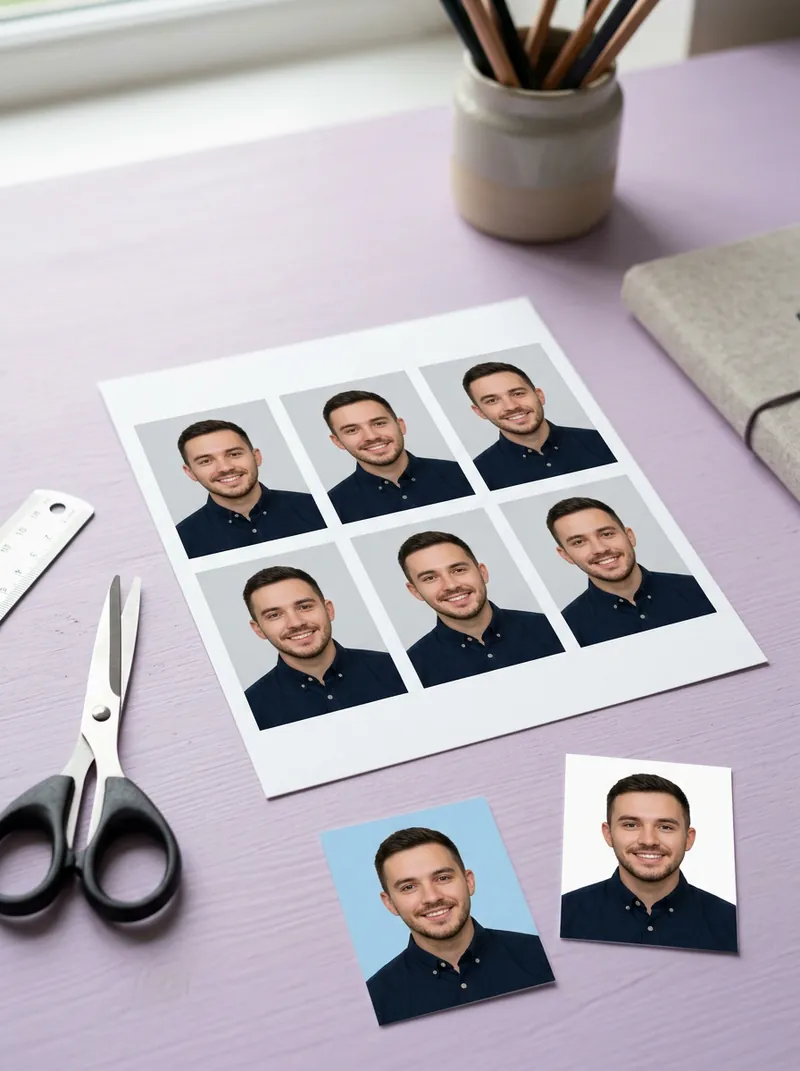
Free tool
Free ID & passport photo maker: right size, ready to print
Upload a photo, pick the document, and the tool frames your head to the official size, puts you on a clean background and lays out a 4×6 in print sheet. Sizes are checked against government pages, linked below.
Quick answer
To make a passport photo online for free, take a straight-on photo against a plain wall, upload it to drawcue's ID photo maker, choose your document (for example US 2×2 in or Schengen 35×45 mm) and a background colour, check the head guide lines, then download the single photo or a 4×6 in sheet to print at a photo shop. Always check your agency's latest rules: some (US, Canada) refuse any digitally edited photo.
Last updated: · By the drawcue team
Free tool
Make an ID or passport photo in your browser
Upload a straight-on photo. The head is measured and framed to the size you pick, the background is replaced, and you get a single photo plus a 4×6 in print sheet. Nothing is uploaded.
Background
Choose a photo to start. The face and cut-out models (about 14 MB with the engine) load once and are cached.
Guide lines show the required crown and chin positions for the chosen size. Print the sheet at 100% / actual size on 4×6 in (10×15 cm) photo paper.
Sizes in this tool and where they come from
Every size was checked on an official page on 2026-11-01. Rules change: always confirm with the office that will receive your photo.
| Document | Size | Pixels @300 dpi | Key rules | Official source |
|---|---|---|---|---|
| US passport & visa 2×2 in | 51×51 mm | 600×600 | 2×2 in (51×51 mm); head 1–1⅜ in (25–35 mm) chin to top of head; white or off-white background; no edits or filters. | U.S. Department of State, Passport Photos |
| UK passport 35×45 mm | 35×45 mm | 413×531 | 45 mm high × 35 mm wide; crown to chin 29–34 mm; plain light background; not a cut-down larger picture; digital: unaltered, min 600×750 px. | GOV.UK, Get a passport photo |
| Schengen visa / Germany 35×45 mm | 35×45 mm | 413×531 | 3.5×4.5 cm; face 70–80% of the photo = 32–36 mm chin to top of head (hair ignored). | German Federal Foreign Office, biometric photo |
| Japan passport 35×45 mm | 35×45 mm | 413×531 | 45×35 mm, no border; face 34 mm ±2 mm top of head to chin; plain background, white recommended. | Osaka Prefecture passport office (MOFA rules) |
| Canada passport 50×70 mm | 50×70 mm | 591×827 | 50×70 mm; face 31–36 mm chin to crown. Canada requires photos taken by a commercial photographer and not altered in any way (background changes included). | Government of Canada, Passport photo requirements |
| China passport / travel permit 33×48 mm | 33×48 mm | 390×567 | 33 mm wide × 48 mm high; head width 15–22 mm, chin to top of head 28–33 mm, 3–5 mm above the head, at least 7 mm below the chin; white background, no edits. | Chinese Consulate-General in New York, passport photo rules |
| China 1-inch (exam/registration) 25×35 mm | 25×35 mm | 295×413 | Standard 1-inch: 25×35 mm, 295×413 px, white background (national professional qualification exams). No head-size rule is published. | Guangdong Personnel Examination Bureau |
| China 2-inch 35×49 mm | 35×49 mm | 413×579 | 2-inch standard photo 3.5×4.9 cm, white or blue background (NEEA exam registration). No head-size rule is published. | NEEA (China Ministry of Education exam authority) |
Overview
What this ID photo maker does
The tool finds your face with an on-device model, measures the distance from chin to the top of the head and scales the crop so your head lands inside the range each document requires. It then replaces the background with white, blue, red or grey, or keeps the original, and exports a JPG at 300 dpi pixel size.
It also tiles the photo onto a 4×6 in (10×15 cm) sheet, the cheapest print size at most photo kiosks, so one print gives you four to eight photos. The sizes and head ranges come from the official pages listed in the table, checked on 1 November 2026.
Check before you submit. Rules differ by country and change often. The US State Department and Canada reject digitally altered photos, including background changes: for those, use "Keep original" with a real white wall, or a photo studio. drawcue isn't affiliated with any government; treat the output as a correctly sized draft and confirm with the office that receives it.
How to
How to make a passport photo at home
Take the photo
Stand about 1–1.5 m from a plain light wall, face the camera, keep your mouth closed and let someone else shoot with the rear camera at eye level.
Upload it
Drop the photo into the tool above. It stays on your device.
Pick the document
Choose the size, such as US 2×2 in, UK or Schengen 35×45 mm, Canada 50×70 mm or China 33×48 mm.
Check the guides
Choose a background, then nudge head size or position until the top of the head and chin sit on the dashed lines.
Download and print
Save the single JPG for online forms, or the 4×6 in sheet and print it at actual size at a photo kiosk.
Guide
A practical guide to home-made ID photos
Light matters more than the camera
Face a window in daylight or use two lamps either side at the same height. Shadows behind the ears or under the chin are a common rejection reason, and the background tool cannot remove shadows on your face.
Use the rear camera, not a selfie
Front cameras are wide-angle and distort the nose and ears at arm's length. Ask someone to stand about 1.5 m away, zoom in a little and hold the phone at eye level. Many agencies also reject mirrored selfies.
Head size is the usual mistake
Each document measures the head from the chin to the top of the head. The dashed lines show that range for the size you chose. If hair is very full, size the head by the skull, not the hairstyle, as the German rules state.
Glasses, hats and expression
Remove glasses where the rules require it (the US does), keep a neutral expression with your mouth closed, and keep hair away from your eyes and the edges of your face.
Know when not to edit
Some offices accept any compliant photo; others want an unedited original or a studio photo with a receipt or code. For those, use the tool only to check framing, and get the final picture from an approved photographer or booth.
Online forms versus printed photos
Online applications usually want a digital file with a minimum pixel size and a maximum file size, while paper forms want a print at an exact size in millimetres. Use the single JPG for uploads and check the pixel and kilobyte limits on the form. For paper applications, print the 4×6 in sheet on glossy or matte photo paper at actual size and measure one photo with a ruler before you cut, since some printers crop the edges slightly. Keep the original photo too, in case the office asks for a new crop.
Questions
FAQ
What size is a US passport photo in pixels?
The printed photo is 2×2 inches (51×51 mm). At 300 dpi that is 600×600 px, which is what this tool exports. The head must measure 1 to 1⅜ inches (25–35 mm) from chin to top of head, on a white or off-white background.
Is 35×45 mm the same as a Schengen visa photo?
Yes, Schengen countries, the UK and Japan all use 35×45 mm, but head size rules differ: Germany asks for 32–36 mm, the UK for 29–34 mm and Japan for 34 mm ±2 mm. Pick the matching option so the head is scaled to the right range.
Can I change the background of a passport photo?
For informal uses yes. For official applications check first: the US State Department and Canada reject photos whose background was changed by software, and China's entry-exit offices ask for unedited photos. Use "Keep original" with a real white wall if your agency is strict.
How do I print passport photos cheaply?
Download the 4×6 in print sheet and order a standard 4×6 (10×15 cm) print at a pharmacy or photo kiosk. Make sure scaling is off (100% / actual size), then cut along the light grey lines.
Is my photo uploaded?
No. The face and cut-out models (MediaPipe, Apache-2.0) are downloaded from drawcue once and run in your browser. Your photo never leaves your device.
Why does it say my head is tilted?
The tool compares the height of your eyes. If one is noticeably higher, most agencies will reject the photo, and straightening it digitally counts as an edit. Retake the picture facing the camera squarely.
drawcue
More AI tricks
 Watermark Maker →
 Photo Filters →
 Avatar Maker →
 Makeup Try-On →
 Hair Color Changer →
 AI Tattoo Generator →
 AI Live Wallpaper →
 AI Background Changer →
 Signature Generator →
 Free Logo Maker →
 AI Headshot & Avatar Prompt Generator →
 AI Headshot Prompts →
 AI Couple Photo Prompts →
 Chinese Ink Painting Prompts →
 Wabi-Sabi AI Prompts →
 AI Art Toy Prompts →
 AI Pet Portrait Prompts →
 AI Outfit Changer →
 AI Store Design Kit →
 AI Age Progression →
 AI Portrait Photoshoot →
 AI Movie Scene →
 AI Landmark Photo →
 AI Ancient General Photo →
 AI Historical Costume Photo →
 AI Anime Character →
 AI Makeup Looks →
 AI Hairstyles →
 Best Free AI Image Tools →
 AI Famous Scene Video →
 Catrina AI Video →
 AI Baby Generator →
 Free AI Dance Video →
 Hotel Lobby AI Rap Duo →
 Kling 4.0 Prompts →